
Have you ever tried to email a PDF document only to discover that the file is too large? Large PDF files can also take longer to upload, consume more storage space, and become inconvenient to share.
The good news is that you can often reduce a PDF’s file size without recreating the document from scratch. A PDF compressor helps optimize a document so that it is easier to upload, store, and share.
In this guide, you will learn how to compress a PDF online for free, what affects PDF file size, how compression works, and what to check before sharing a compressed document.
What Does It Mean to Compress a PDF?
PDF compression is the process of reducing the amount of storage space a PDF file requires. Depending on the document and the compression method, this may involve optimizing images, removing redundant data, or using more efficient ways to store content.
A PDF containing high-resolution photographs may be much larger than a simple document containing mostly text. Compressing image-heavy PDFs can therefore make a noticeable difference, while text-only documents may see smaller reductions.
The goal is to create a smaller file while preserving the readability and appearance you need.
Why Should You Compress a PDF?
There are several reasons to reduce the size of a PDF document.
1. Easier email attachments
Email services commonly impose attachment-size limits. A smaller PDF may fit within those limits and be easier to send to colleagues, clients, or classmates.
2. Faster uploads and downloads
Large files can take longer to upload to websites, online forms, cloud storage, and messaging platforms. Reducing file size can make these tasks more convenient, especially on slower connections.
3. Save storage space
Compressing suitable documents can help reduce the amount of space they occupy on your computer, phone, or cloud storage account.
4. Submit documents online
Applications, assignments, business forms, and other online submissions may specify a maximum file size. A PDF compressor can help you prepare a document that meets the requirement.
5. Share documents more conveniently
Smaller files are generally easier to transfer and manage. This is particularly useful when sharing reports, presentations, scanned documents, and image-heavy PDFs.
How to Compress a PDF Online for Free
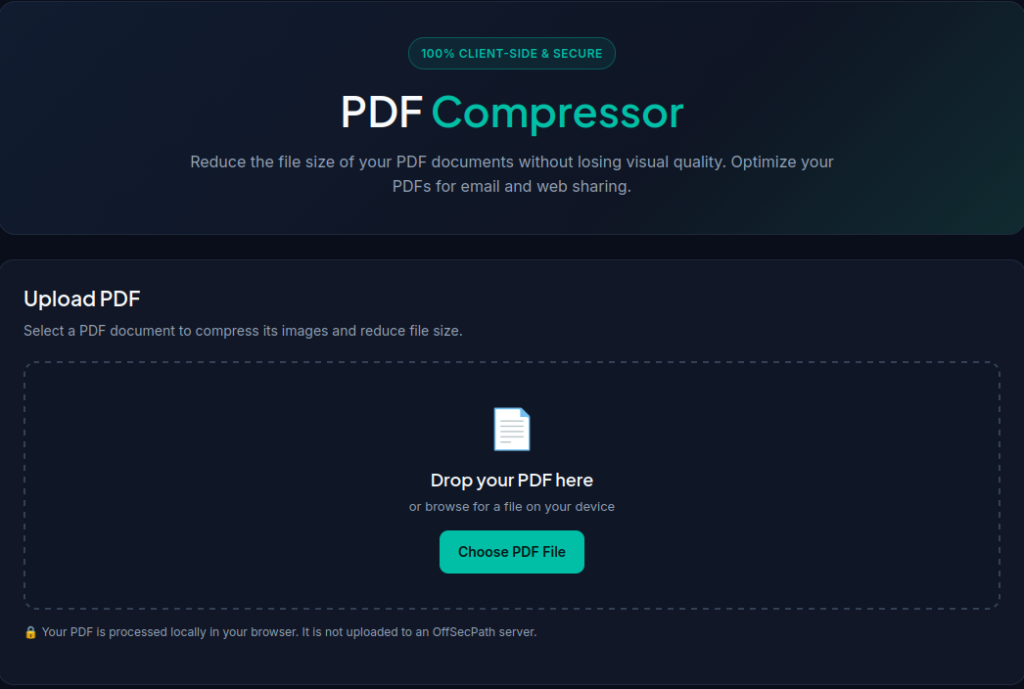
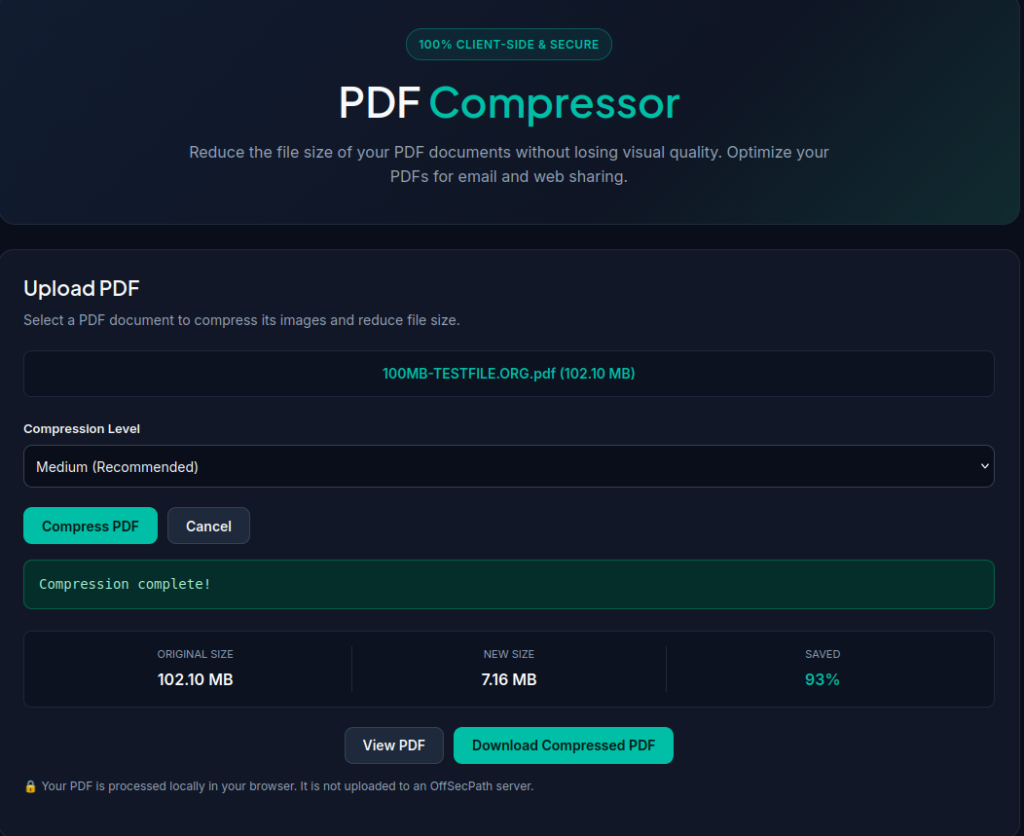
You can use the OffSecPath PDF Compressor to reduce the size of a PDF without manually editing every page.
Follow these steps:
- Open the PDF Compressor. Visit the OffSecPath PDF Compressor tool.
- Select your PDF file. Choose the document you want to optimize.
- Apply the available compression options. Follow the controls provided by the tool.
- Download the compressed document. Save the resulting file when processing is complete.
- Check the result. Open the compressed PDF and confirm that its text, images, and page layout remain suitable for your needs.
The exact reduction depends on the original document, its images, and the compression methods available in the tool. Not every PDF can be reduced by the same percentage.
How Does PDF Compression Work?
PDF files can contain text, images, fonts, vector graphics, and other data. Compression methods work by optimizing some of these elements to reduce the amount of data stored in the file.
Two common approaches are lossless and lossy compression.
Lossless compression
Lossless compression reduces file size without discarding the underlying information being compressed. The original data can be reconstructed from the compressed representation.
This approach is useful when preserving the original information is important. However, it may produce only a modest reduction in some PDFs.
Lossy compression
Lossy compression reduces file size by discarding some information, often from images. Depending on the settings, it can significantly reduce the size of image-heavy documents, but it may also reduce image quality.
Small text in scanned documents, charts, diagrams, and detailed photographs deserve particular attention when using lossy compression.
Important: The methods supported by a PDF compressor vary. Check the tool’s available options rather than assuming that every compression method is supported.
What Determines a PDF’s File Size?
Understanding what makes a PDF large can help you choose the right approach.
High-resolution images
Photographs and scanned pages can contribute significantly to PDF file size. Optimizing image resolution and quality may help reduce the overall size.
Scanned documents
A scanned PDF may store each page as an image instead of searchable text. Documents with many high-resolution scanned pages can become particularly large.
Embedded fonts and resources
Some PDFs include embedded fonts and other resources required to display their content correctly. These elements can contribute to the document’s size.
Number of pages
A document with hundreds of image-heavy pages will often be larger than a short text-based document, although page count alone does not determine file size.
Existing optimization
A PDF that has already been compressed or optimized may have little room for further reduction.
Tips for Reducing PDF Size Without Losing Readability
Follow these practical tips when preparing documents for sharing.
- Keep an original copy. Save the uncompressed PDF before making changes.
- Choose suitable image quality. Aggressive compression may make photographs, diagrams, and small text difficult to read.
- Check scanned pages carefully. Review fine print, signatures, tables, and other important details after compression.
- Avoid repeated compression when possible. Repeated lossy compression can further degrade image quality.
- Compare the resulting file size. Check whether the compressed PDF actually meets your upload or attachment requirement.
- Review every important page. Do not rely only on the first page to judge the quality of the entire document.
- Consider document sensitivity. Before uploading confidential documents to any online service, review how that service handles uploaded files. For highly sensitive material, consider an appropriate offline tool instead.
What Else Can You Do With a PDF?
Compressing a document is only one part of managing PDF files. Depending on your needs, other tools can help you prepare, reorganize, or extract information from a document.
- Merge PDF Files: Combine multiple PDFs into one document.
- Split a PDF: Separate a PDF into smaller documents or selected sections.
- Extract Text from a PDF: Extract text from supported PDF documents.
- Convert Images to PDF: Turn images into a PDF document.
- Add Page Numbers to a PDF: Add page numbers to help organize reports and other documents.
You can also browse the OffSecPath PDF Document Management Tools collection or explore the complete All Tools directory.
Frequently Asked Questions
How can I compress a PDF online for free?
Open an online PDF compressor, upload your document, apply the available compression options, and download the processed file. Review the result to ensure it remains readable.
Will compressing a PDF reduce its quality?
It depends on the method used. Lossless compression preserves the data being compressed, while lossy image compression may reduce visual quality. Always check the resulting document.
Why is my PDF still large after compression?
The PDF may already be optimized, contain mostly text, or include images and other resources that are difficult to compress further. The available reduction depends on the document’s contents and the tool’s capabilities.
Can I compress a scanned PDF?
Often, yes. Scanned PDFs may contain high-resolution page images, which can provide opportunities for size reduction. However, excessive compression can make small text and fine details difficult to read.
Does compressing a PDF remove pages?
Compression is intended to reduce file size, not remove pages. If you need to delete pages, use a dedicated PDF Page Deleter.
Is it safe to compress a PDF online?
Safety depends on the service and how it handles uploaded files. Before uploading confidential, personal, or business-sensitive documents, review the service’s privacy and file-handling practices.
Can I compress a PDF for an online application?
Yes. A PDF compressor may help you meet a file-size limit for an application or online form. Check the final file size and confirm that the document meets the application’s other requirements.
Related Free PDF Tools
Make document management easier with these free online tools from OffSecPath:
- PDF Compressor — Reduce the file size of suitable PDF documents.
- PDF Merger — Combine multiple PDF files into one.
- PDF Splitter — Separate pages or sections into smaller PDF files.
- PDF Page Numbering — Add page numbers to your documents.
Explore the complete collection in our PDF tools directory.
Also Read
Looking for more ways to work efficiently with online tools? Explore these guides:
- What Is Lorem Ipsum? Meaning, Uses, and Examples — Learn why placeholder text is used in website layouts, design mockups, and prototypes.
Before publishing, confirm that the Lorem Ipsum article uses this exact permalink. If its URL differs, update the link to match the published article.
Conclusion
Compressing a PDF can make documents easier to upload, email, store, and share. The amount of reduction depends on the document’s contents and the compression methods available, so it is important to review the final result for both file size and readability.
Ready to make your document smaller? Try the free OffSecPath PDF Compressor, check the result, and explore our other PDF management tools to prepare your documents more efficiently.